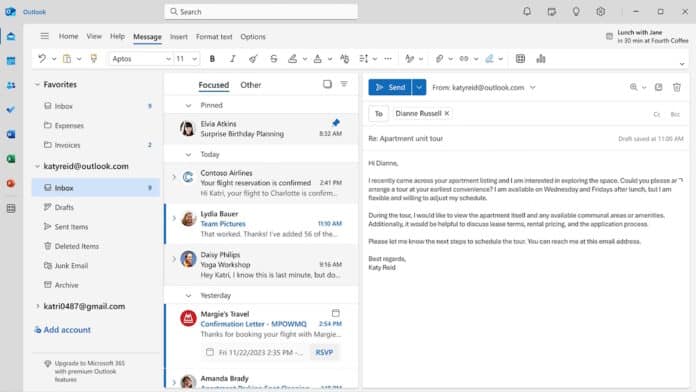
Microsoft has confirmed it is investigating a frustrating bug in the classic version of Microsoft Outlook for Windows, where the mouse pointer disappears while users move it across the app interface.
The issue, first reported by users nearly two months ago, makes the desktop email app difficult — and in some cases nearly impossible — to use. Many affected customers say the pointer vanishes while moving across the Outlook interface, leaving them unable to interact with emails, menus, or other on-screen elements.
“My mouse just stopped being visible while I am using Outlook, and this is very, very, frustrating because my permission wasn’t given to make these changes, and now I can’t find anything, can’t open emails, can’t copy and paste, and the list goes on and on.. I hope this is fixable…,” one customer wrote on the Windows forum.
How The Bug Affects Users
According to Microsoft’s support documentation, the mouse pointer — and in some cases the text cursor — becomes invisible when hovering over certain parts of the Outlook interface. Interestingly, the pointer remains active in the background.
“When using classic Outlook, you may find that the mouse pointer or mouse cursor disappears as you move the pointer over the Outlook interface,” the company said in a recent support document.
“Although the mouse pointer is not there, the email in the message list will change color as you hover over it. This issue has also been reported with OneNote and other Microsoft 365 apps to a lesser degree.”
Some users say the glitch makes Outlook nearly unusable, especially in busy work environments where precise navigation is essential.
The company also acknowledged that a similar issue has been reported, to a lesser extent, in other Microsoft 365 apps such as Microsoft OneNote.
Microsoft’s Response
Microsoft has officially marked the issue as “Investigating” and says the Outlook team is actively working to identify the root cause.
For enterprise customers, the company is asking Microsoft 365 tenant administrators to open a support case and submit diagnostic log files, including WebView2 traces, to help engineers analyze the bug more effectively and assist with troubleshooting.
At this time, Microsoft has not shared a timeline for when a permanent fix will be available.
Temporary Workarounds For Affected Users
While the company works on a solution, Microsoft has provided three temporary fixes that may restore the missing cursor:
- Click an Email in the Message List: Select an email when the message row highlights. This may cause the mouse pointer to reappear.
- Switch to PowerPoint and Back: Open Microsoft PowerPoint, click inside an editable area, and switch back to Outlook. This has helped some users regain visibility of the pointer.
- Restart the Computer: Restarting the PC appears to temporarily resolve the issue in many cases.
Some users have also reported success by adjusting Windows mouse settings, though Microsoft has not officially listed this as a primary workaround.